Automating Aggregation Schedules: A Complete Exporter & Importer

Tyler
IdentityEXE Founder
Executive Summary
Managing, backing up, and manipulating aggregation schedules at scale in SailPoint Identity Security Cloud introduces significant operational friction. The platform's native functionality lacks a centralized mechanism to rapidly "pause" all aggregations for maintenance windows or effortlessly export and import schedules across environments, leaving administrators reliant on ad-hoc API scripts or manual UI updates.
Failing to resolve this architectural limitation directly impacts enterprise velocity and compliance. Uncoordinated maintenance windows can result in aggregation collisions, while the inability to instantly restore expected states creates severe deployment lag, introduces security vulnerabilities by delaying access revocation, and triggers massive manager approval fatigue when data syncs fail.
IdentityEXE designed a repeatable architectural methodology to eliminate these constraints natively. Rather than deploying isolated scripts, this solution integrates a comprehensive, self-serve Toolkit utilizing SailPoint Workflows and PAG (Privileged Access Gateway) to give administrators granular, push-button control over their aggregation schedules tenant-wide.
Solution Overview
This modular framework integrates three core components: 1 Interactive Form, 1 SailPoint Workflow, and 2 parallel-processed PowerShell Reporting Scripts executed via PAG.
The solution centers around a Workflow Form that allows administrators to select from several powerful Actions:
- 1. Export OperationsScans all sources in the tenant in parallel, captures their Account and Group aggregation schedules, and writes them to a local CSV file on the PAG server (
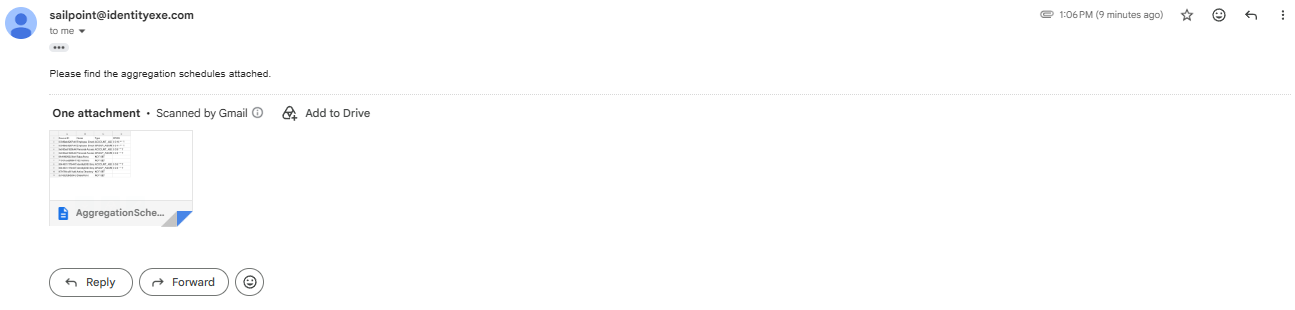
C:\Scripts\Aggregation Exports). Additionally, the CSV file is automatically emailed to the administrator who triggered the launcher.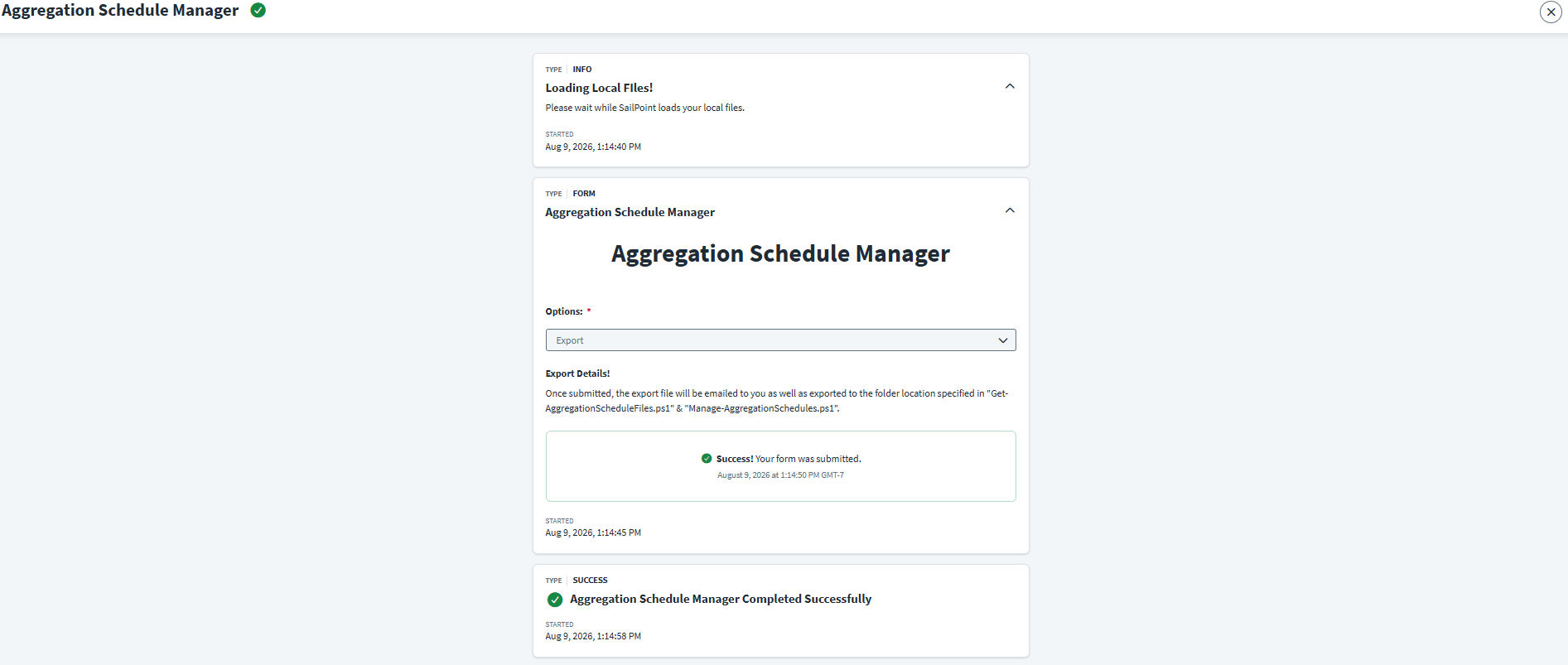
Email Output Example:
- 2. Import OperationsReads a previously exported CSV file and restores the schedules back into SailPoint.
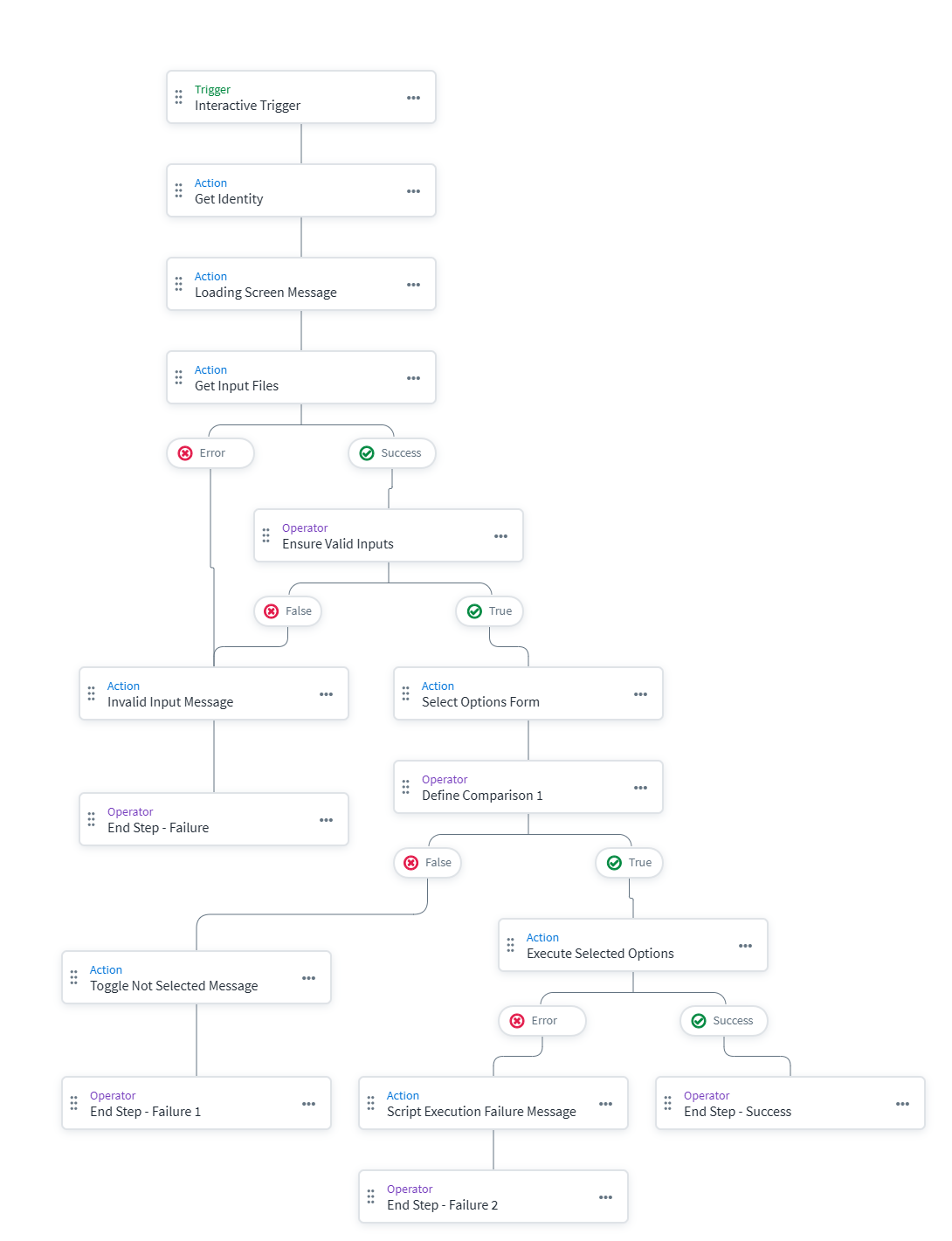
How it captures options: When the Workflow triggers, it first runsGet-AggregationScheduleFiles.ps1via PAG. This script scans the local directory for all.csvfiles and returns them as a JSON array of label/value pairs. This array is seamlessly mapped into theinputForForm_array_importoptionsattribute of the Interactive Form, providing the user with a dynamic dropdown of all available export files.
How updates are executed: Once a file is selected, theManage-AggregationSchedules.ps1script is launched with the chosen filename. It imports the selected CSV, iterates through each row, and uses the API endpoint/sources/v1/:id/schedulesto systematicallyDELETEany existing schedule andPOSTthe restored CRON expressions back to each source.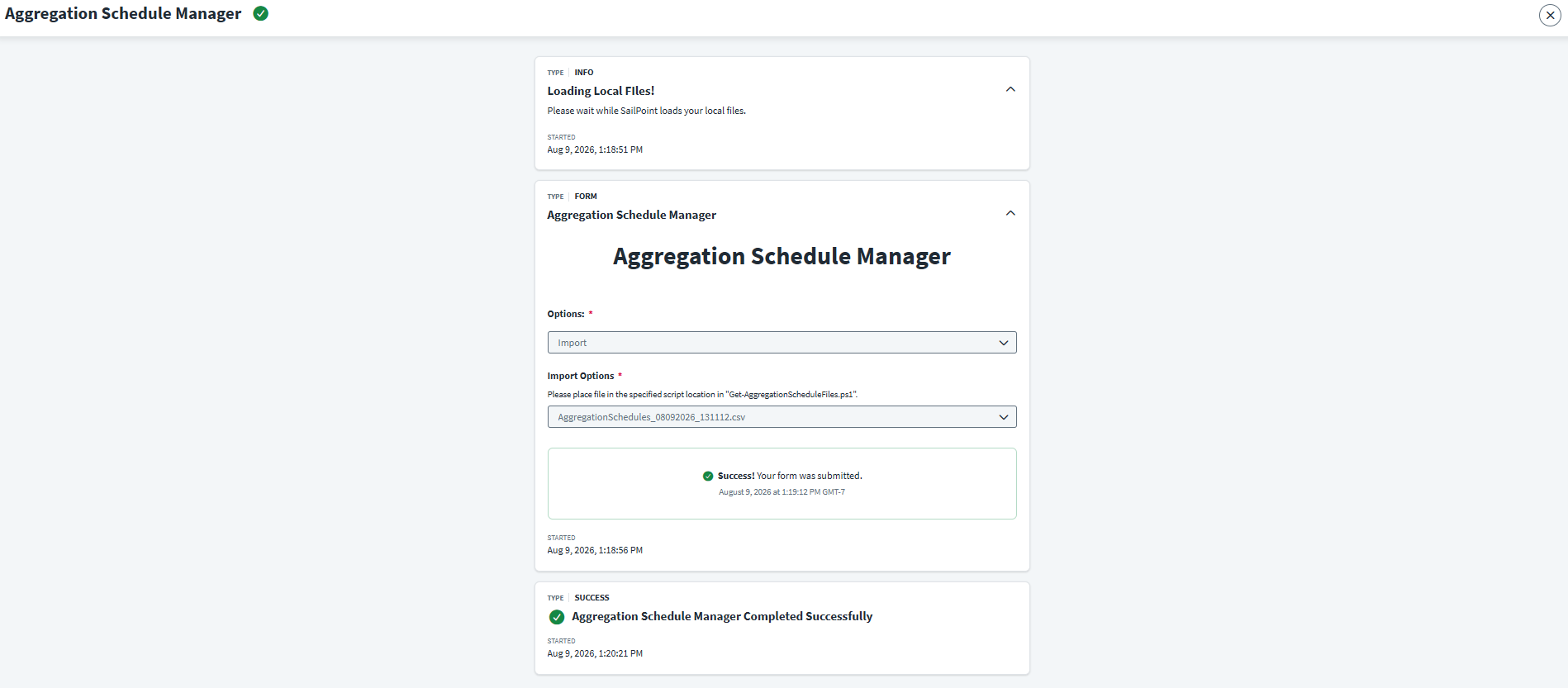
- 3. Back Up And Remove All (Maintenance Mode)A highly useful feature for maintenance windows. This action reads current schedules, securely backs them up directly into the Source object's
connectorAttributes, and then deletes the active schedules, effectively "pausing" all aggregations tenant-wide.
How the backup works: The script executes aPATCHrequest to the/sources/v1/:idendpoint to inject custom keys directly into the source's configuration. It saves the current CRON strings into two new variables:BackUpAccountAggregationCRONandBackUpGroupAggregationCRON. By utilizingconnectorAttributes, the data stays safely attached to the source itself within SailPoint, preventing the need to manage external backup files during a maintenance window.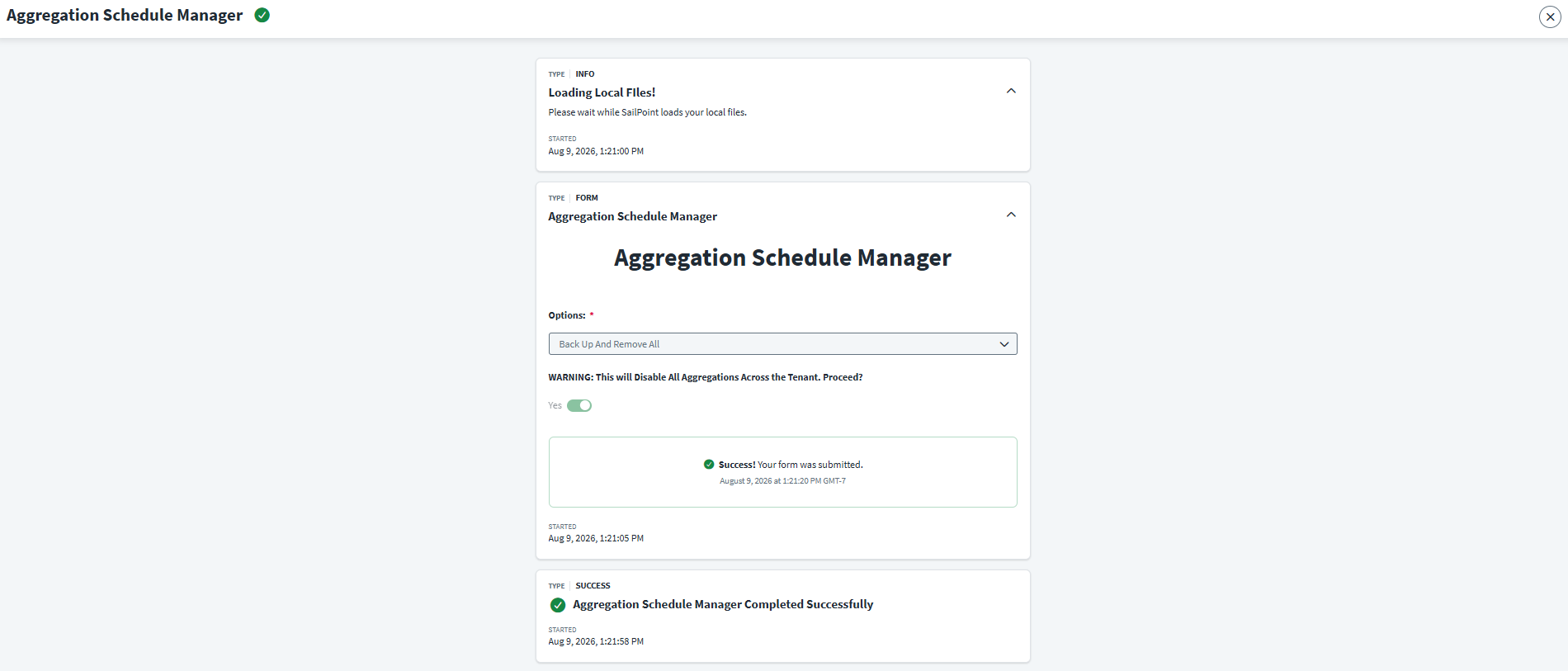
- 4. Restore AllReads the backed-up CRON strings from the Source objects and re-activates all schedules, returning the tenant to normal operation.
How the restore works: The script queries all sources and checks theirconnectorAttributes. If a source does not have these backup variables, the script safely skips it. If it finds them, it issues aPOSTrequest to recreate the schedule, followed by a finalPATCHrequest (op: "remove") to clean up the backup variables from the source configuration so no stale data is left behind.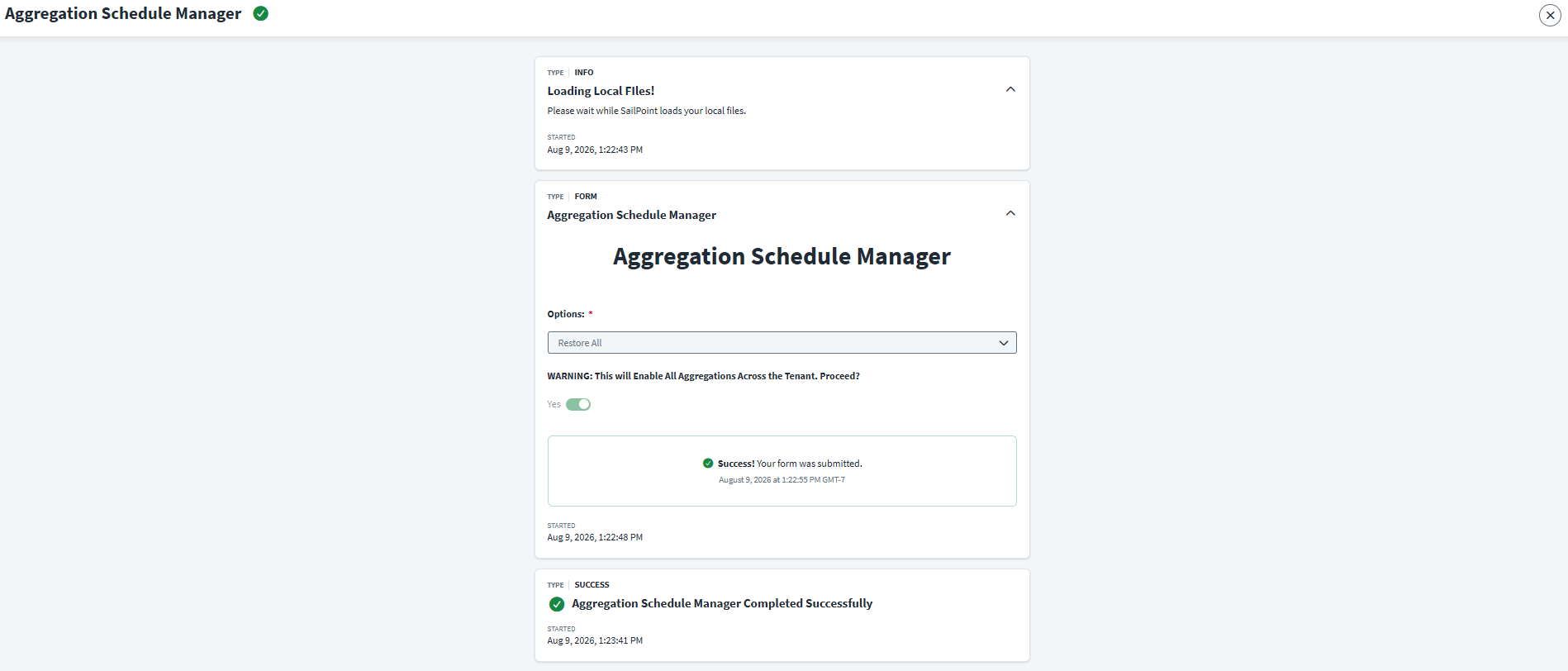
IdentityEXE Blueprint: Architectural Highlights
When we architect this solution for our enterprise clients, we prioritize resilience, high performance, and strict API adherence:
- High Performance (Parallel Processing): Iterating through hundreds of sources sequentially via REST APIs is incredibly slow. Our core engineering methodology utilizes PowerShell Runspace Pools (multi-threading) in the main script to process 10-15 sources concurrently, drastically reducing execution time from minutes to seconds.
- API Adherence: The scripts strictly adhere to SailPoint's newest API structures, specifically utilizing the
sources/v1endpoint for patching source attributes, and thesources/v1/:id/schedulesendpoint. - Complete Audit Trail: The framework implements a comprehensive, timestamped logging structure. Every action, parameter, and API exception is logged to a
logs.txtfile in the script directory, providing perfect visibility for troubleshooting PAG executions. - Error Handling & Resiliency: This modular framework ensures that your ISC deployment avoids rigid failure loops. Utilizing comprehensive
try...catchblocks around all API calls, if an individual source fails to export or restore, the script logs a warning and gracefully continues processing the remaining sources rather than halting. A customThrow-Errorfunction is used to forcefully stop the script and alert the workflow only if a critical failure occurs, such as an authentication issue or a missing CSV file.
Implementation Frameworks
Below are the workflow diagrams and implementation files for deployment into your environment. You will need a configured PAG instance, valid SMTP credentials, and API Credentials with idn:sources:manage and idn:sources:read scopes.
1. Toolkit Interactive Form
2. Main Workflow
3. PowerShell Scripts
Conclusion
By implementing this complete exporter and importer architecture, organizations can confidently execute bulk updates, perform safe maintenance pauses, and maintain strict version control of their aggregation schedules without writing a single line of ad-hoc API code. The operational agility gained ensures your environment remains pristine during disaster recovery and scheduled downtimes.
A stalled identity governance rollout burns capital and stalls organizational momentum.
If your team is hitting configuration walls or struggling with complex aggregation-exporter-importer integrations, stop guessing.