Custom Reports with Workflow Pagination

Tyler
IdentityEXE Founder
Executive Summary
Organizations mandate custom reports to identify security gaps, such as a comprehensive list of all disabled accounts retaining active access entitlements across all sources. While out-of-the-box methods exist using external PowerShell scripts or PTA, native execution inside Identity Security Cloud (ISC) Workflows is required for operational simplicity and reduced maintenance overhead. However, workflows impose a strict execution time limit and lack native pagination support for HTTP requests. If an API returns more than 250 items, standard workflow architectures fail to process the remaining data.
Leaving this architectural limitation unsolved forces operations teams to rely on fragmented, external solutions. This results in severe operational consequences: failed compliance audits due to incomplete reporting, massive deployment lag when managing external infrastructure, severe manager approval fatigue from disjointed data, and unchecked security vulnerabilities where disabled identities continue to hold high-risk access.
IdentityEXE designed a repeatable architectural methodology to solve this constraint natively. This is not a standalone script, but a modular framework. By using self-calling workflows, state passing, and string manipulation, we bypass standard platform limits and build complex, paginated reports natively within SailPoint ISC Workflows, distributing the output via email without external dependencies.
Solution Overview
We separate this methodology into two connected components:
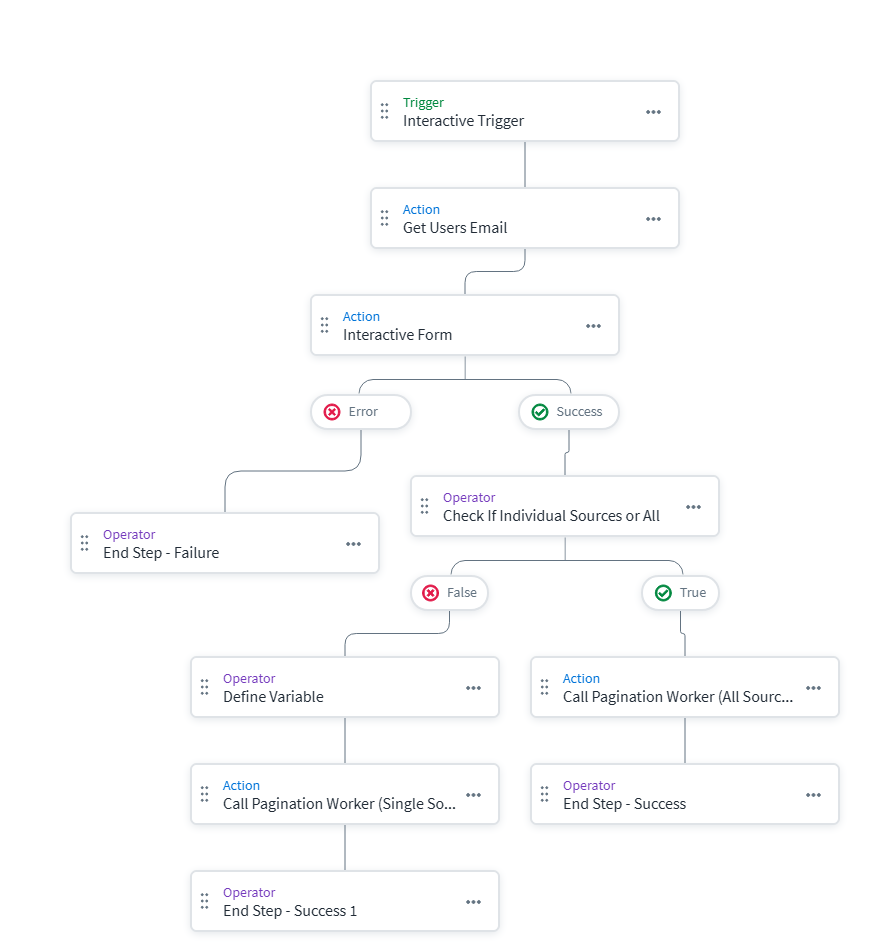
- Launcher Workflow: Starts with an Interactive Trigger and a form. This enables administrators to select individual sources or execute an "All Sources" report. It maps the requisite variables and triggers the worker node.
- Pagination Worker Workflow: Executes the API calls, processes pagination by recursively calling itself, constructs the HTML payload using update variables, and dispatches the final email upon completion.
IdentityEXE Blueprint: Implementation Architecture
Interactive Forms & User Experience
The execution begins for the end user via an interactive form. Administrators dynamically select the specific sources to audit or quickly toggle an "All Sources" option. When an admin triggers the workflow, they are presented with a native UI within Identity Security Cloud:
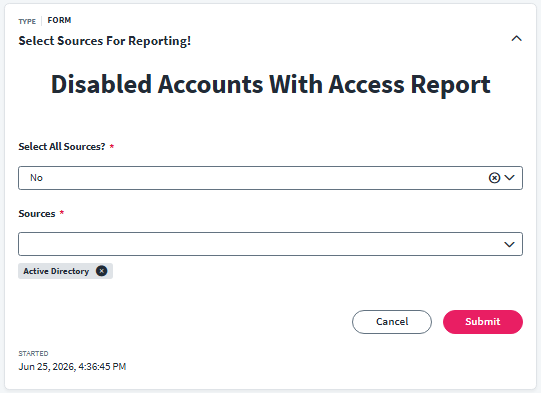
When we architect this solution for our enterprise clients, we utilize string replacement transforms to address formatting issues. Generating a list of multiple sources outputs a standard JSON array (e.g., ["id1", "id2"]), but the SailPoint /v3/accounts API requires specific syntax for the in operator (e.g., ("id1", "id2")). The workflow transforms brackets to parentheses, formatting the form's output into a valid API query parameter before invoking the worker workflow.
Walking Through the Pagination Worker
Our core engineering methodology structures the data layer to handle platform limitations through specific, sequential operations within the worker workflow:
- 1. The First API Call & FilteringFetching every account across a tenant to check access consumes execution time and API limits. The workflow pushes compute load back to the SailPoint backend by appending
hasEntitlements eq truedirectly to the/v3/accountsAPI filter. This guarantees the workflow only retrieves and processes accounts possessing active access. - 2. The Secondary Entitlements CallTo extract actual entitlement names across varied source types (groups, roles, profiles), the workflow uses a serial loop. For each disabled account, it executes a secondary HTTP Request to the
/v3/accounts/:id/entitlementsendpoint, standardizing the data structure regardless of the underlying source. - 3. Building the Report: HTML String AccumulationSince workflows lack a native HTML table builder, the solution relies on "Update Variable" and string concatenation. During every loop iteration, the workflow dynamically injects account data into raw HTML rows (
<tr>...</tr>) and appends it to acurrentsummaryvariable, accumulating data sequentially. - 4. The Recursive Loopback: Bypassing the 250 LimitBecause workflows cannot natively loop API calls beyond 250 items, the worker is configured with an External Trigger. A "Define Comparison" step checks if the batch size equals 250. If so, it executes an HTTP POST request back to its own trigger URL. It acts as a state machine: using a math transform to add 250 to the
currentoffset, passing that offset and the accumulated HTML table into the next execution via$.trigger. - 5. Fixing the Global State Caching BugThis modular framework ensures that your ISC deployment avoids state inconsistencies. The
sp:update-variableupdates global state, but the final HTTP request suffers from caching if inline templating ({{$.defineVariable.currentsummaryvariable}}) is used. The fix inserts a "syncing" Define Variable step using JSONPath (variableA.$: "$.defineVariable.currentsummaryvariable") right after the serial loop, reading the live global state. - 6. Breaking the Loop and Sending the EmailWhen a batch returns fewer than 250 items, the comparison step breaks the cycle and routes to the "Send Email" step, injecting the
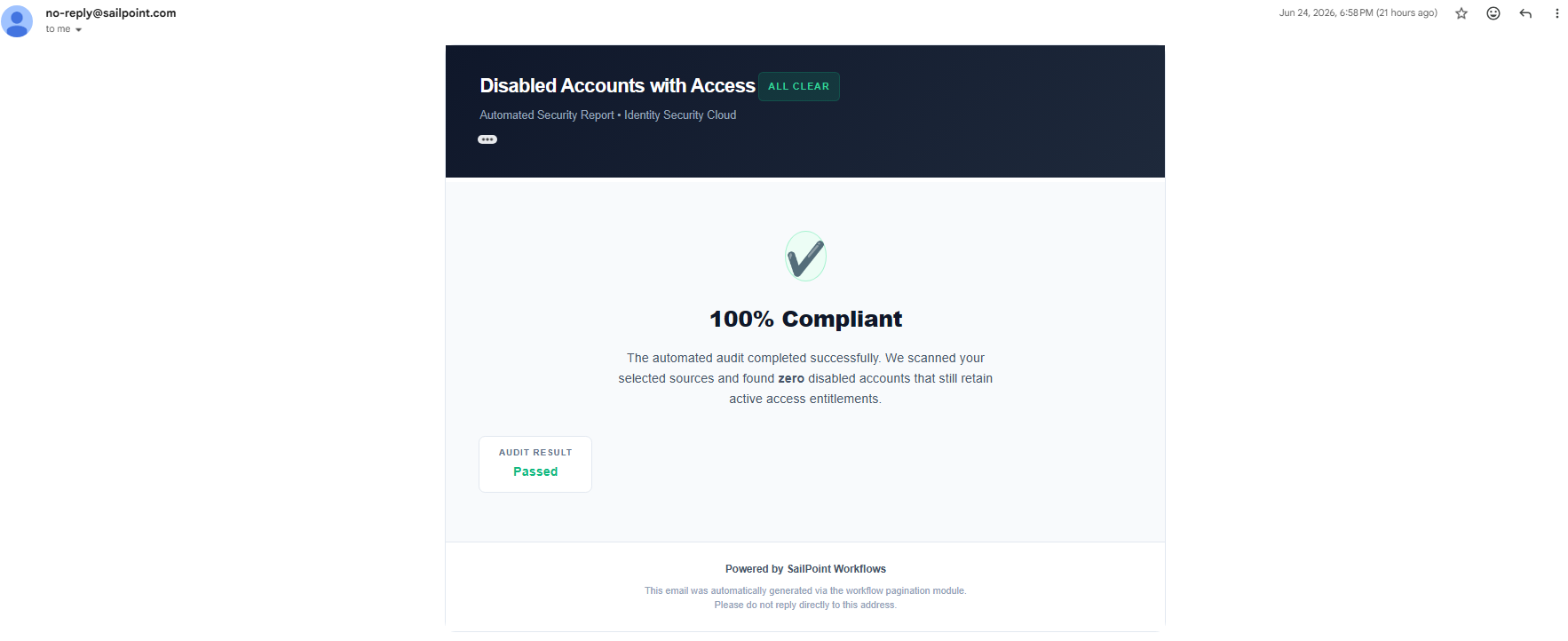
currentsummaryvariableto render the HTML table. If no accounts meet the criteria, it routes to a success notification email instead.
The Final Result
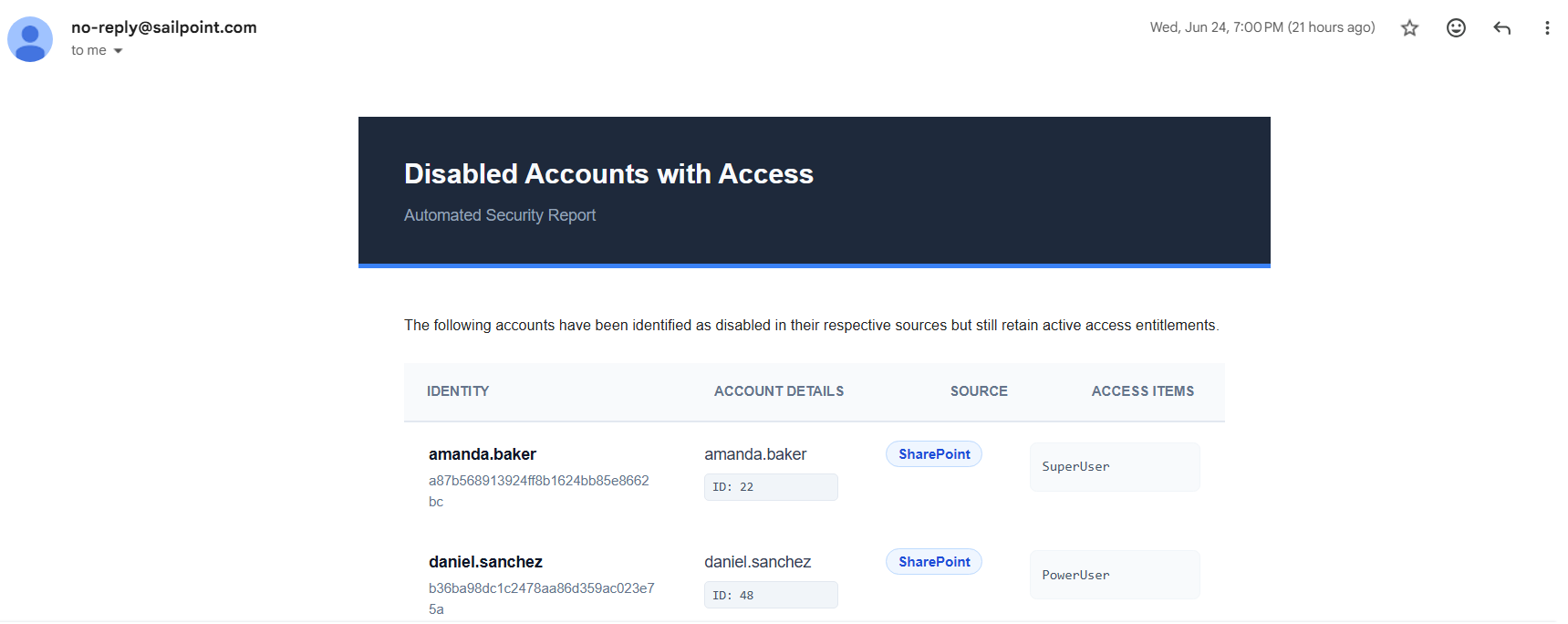
Email Example with Accounts:
Email Example without Accounts (Success):
Implementation Frameworks
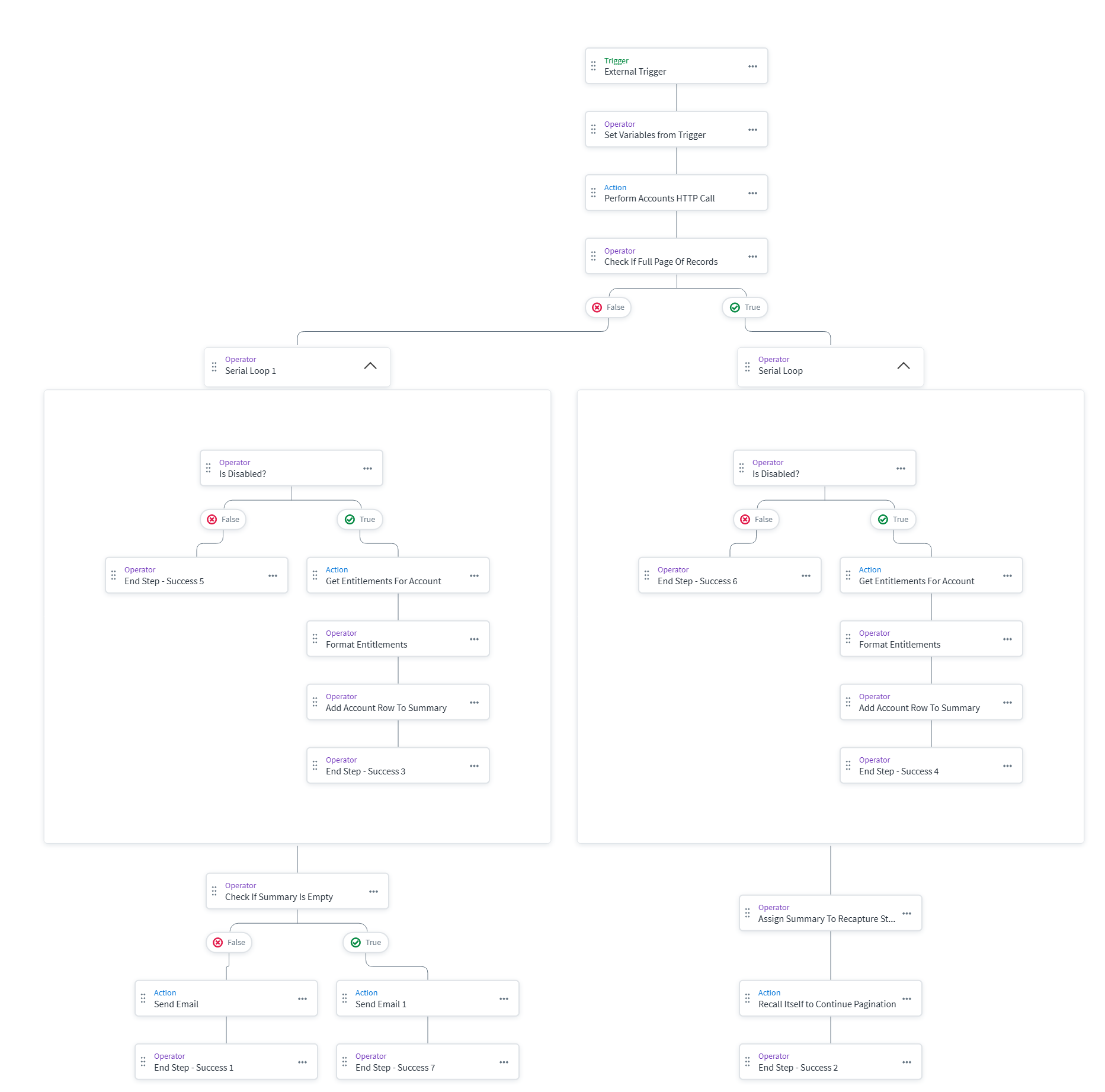
Below are the workflow diagrams and implementation files for deployment into your environment. Update your Client ID, Secret, and Tenant URLs where required.
1. Launcher Form
2. Launcher Workflow
3. Pagination Worker Workflow
Conclusion
By leveraging self-calling workflows, state passing via updated variables, and recursive execution paths, Identity Security Cloud can natively bypass standard execution limits. This framework delivers comprehensive, paginated reporting securely within your existing governance ecosystem without the continuous overhead of maintaining external infrastructure or arbitrary external scripts.
A stalled identity governance rollout burns capital and stalls organizational momentum.
If your team is hitting configuration walls or struggling with complex Custom-Reports-Workflow-Pagination integrations, stop guessing.