Automating Source Offboarding in Identity Security Cloud

Tyler
IdentityEXE Founder
Executive Summary
Safely offboarding and deleting a Source in SailPoint Identity Security Cloud is one of the most tedious and potentially dangerous administrative tasks. Native platform constraints prevent source deletion until all downstream dependencies, such as Access Profiles, Apps, Service Desk Integrations, and Identity Profiles, are systematically dismantled, creating massive operational friction.
Leaving this architectural limitation unsolved forces administrators into hours of manual clicking, leading directly to a higher risk of catastrophic breaking changes. If a source tied to critical identity generation is accidentally wiped without careful validation, organizations face failed compliance audits, severe deployment lag, security vulnerabilities due to orphaned access, and devastating provisioning failures caused by "ghost" accounts triggering unexpected manager approval fatigue.
IdentityEXE designed a repeatable architectural methodology to orchestrate this entire offboarding sequence securely. Rather than relying on simple scripts, this modular framework utilizes a self-serve automated toolkit through SailPoint Workflows and Privileged Task Management (PTA) to provide fail-safe, multi-threaded source deletion while comprehensively analyzing downstream dependencies.
Solution Overview
- Tech Stack: 2 Forms + 1 Workflow + 1 Privileged Task Management (PTA) Script.
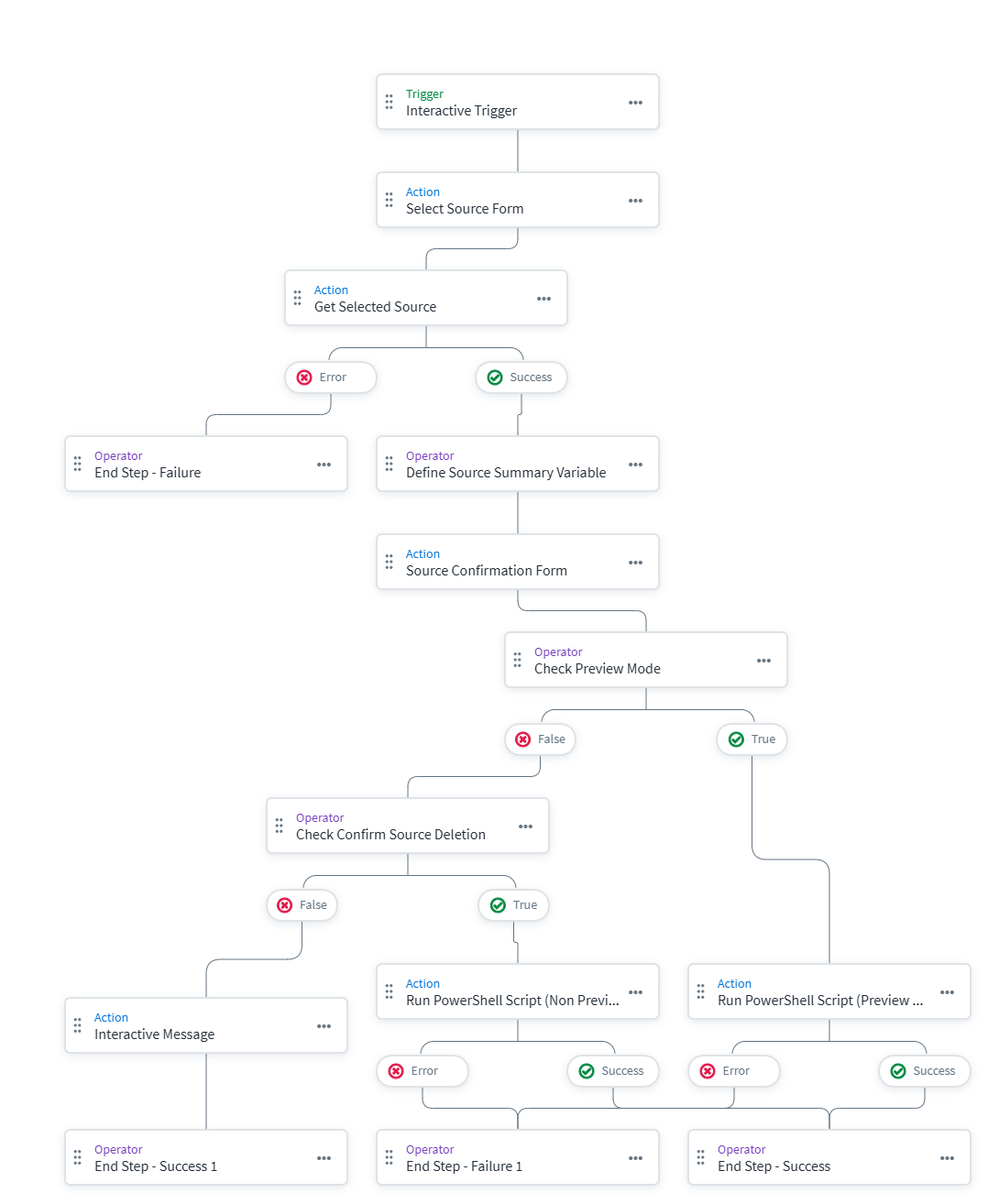
- High-Level Flow: The solution revolves around an interactive Workflow Form that allows administrators to select a source and optionally run it in a dry-run state.
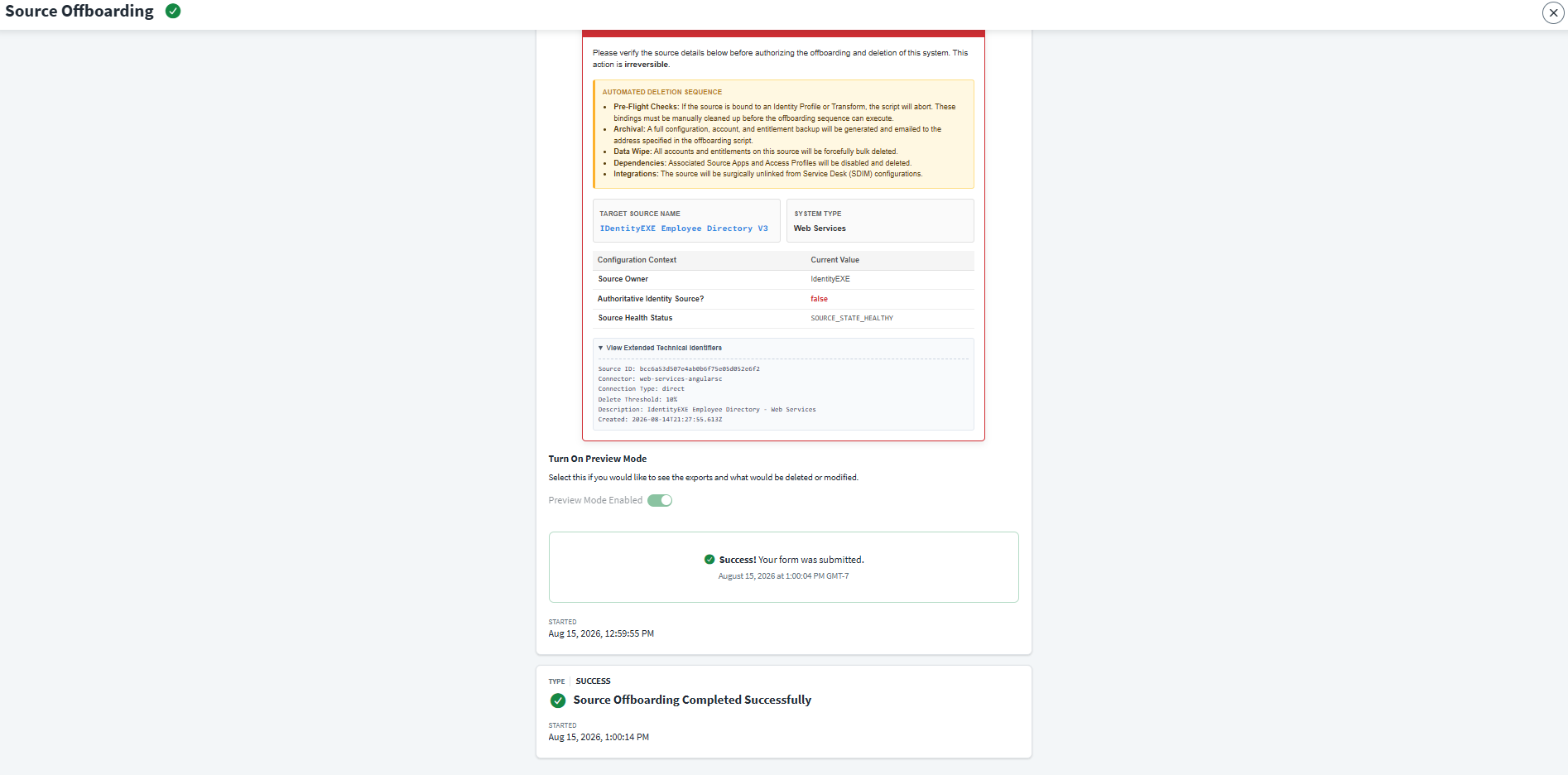
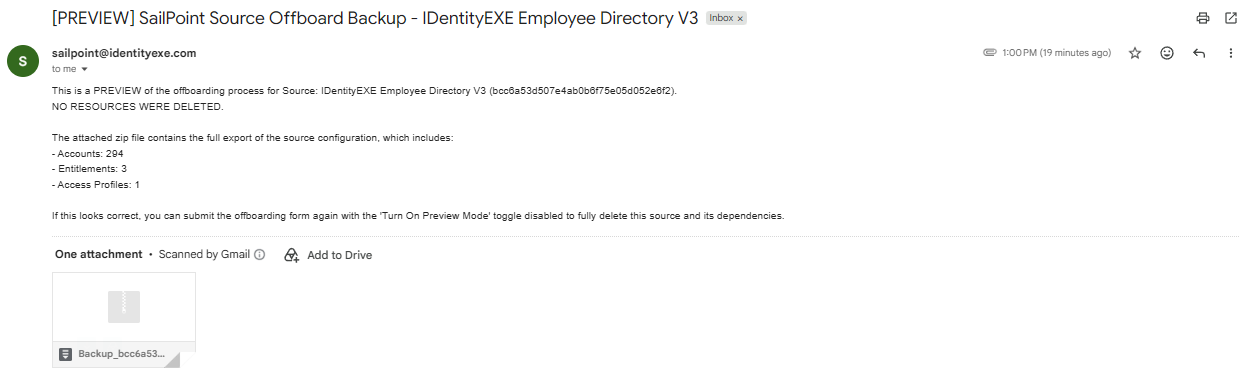
- Preview Mode: A fail-safe toggle that executes all archival and dependency checks, sending the backup zip to the admin, but merely logging what downstream dependencies would be dismantled without actually destroying data.
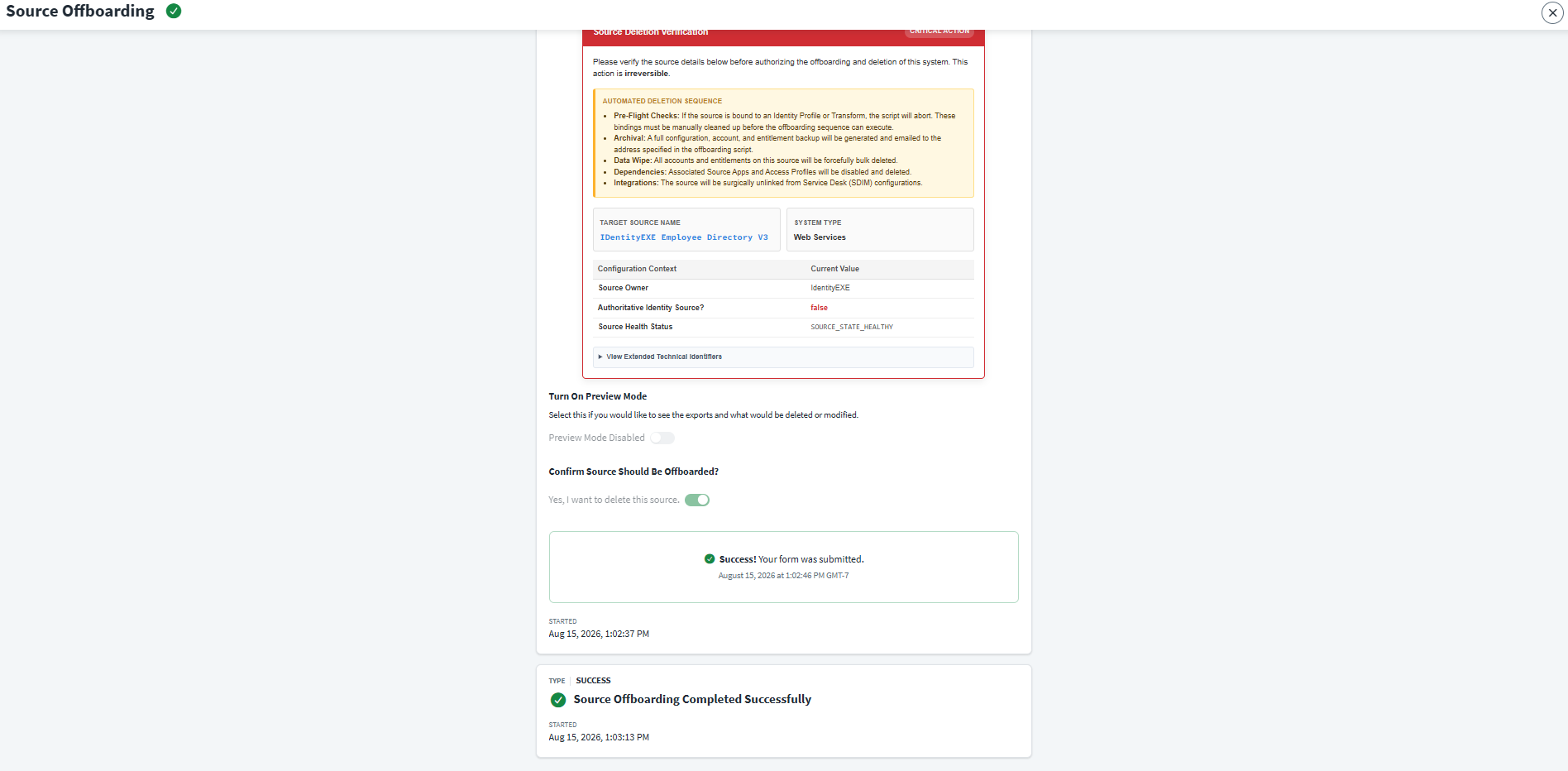
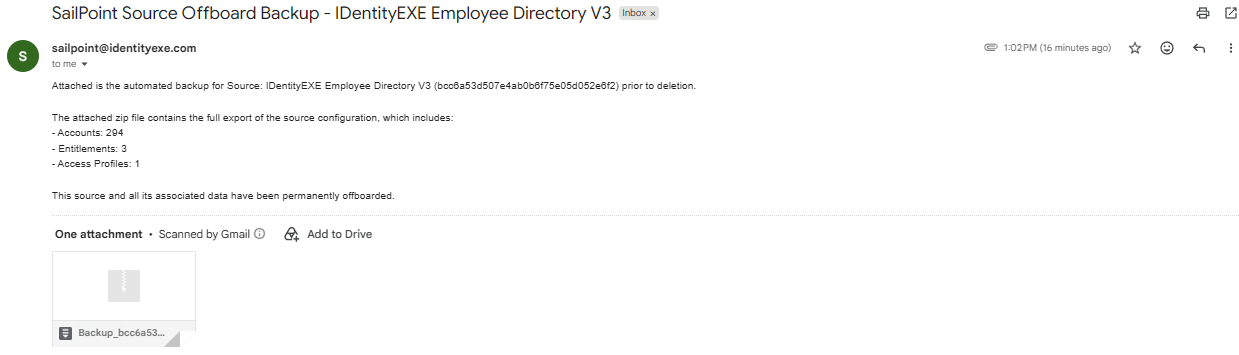
- Live Deletion: Forcefully wipes the source data, tears down all related access profiles, apps, and SDIM integrations, and ultimately deletes the source object from the tenant.
Security Requirements
Before implementing this solution, ensure your environment has a functional Privileged Access Gateway (PAG) connected to your tenant with permission to run local scripts, an active SMTP server configured for outbound emails with zip attachments, and a SailPoint Personal Access Token (PAT) with ORG_ADMIN access. The provided PowerShell template contains placeholder variables; you must encrypt these credentials using a secure storage mechanism before deploying into production.
IdentityEXE Blueprint: User Interface
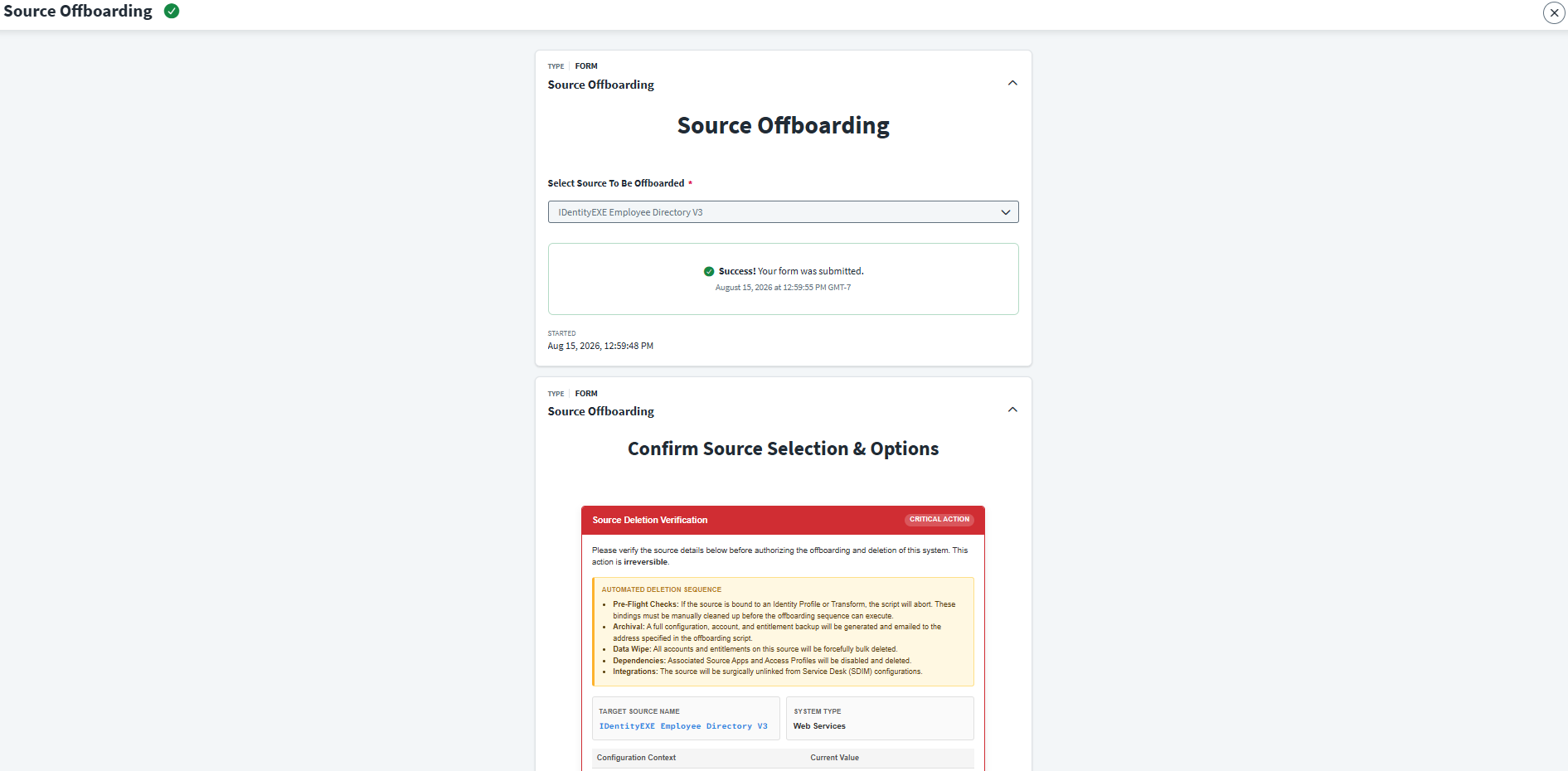
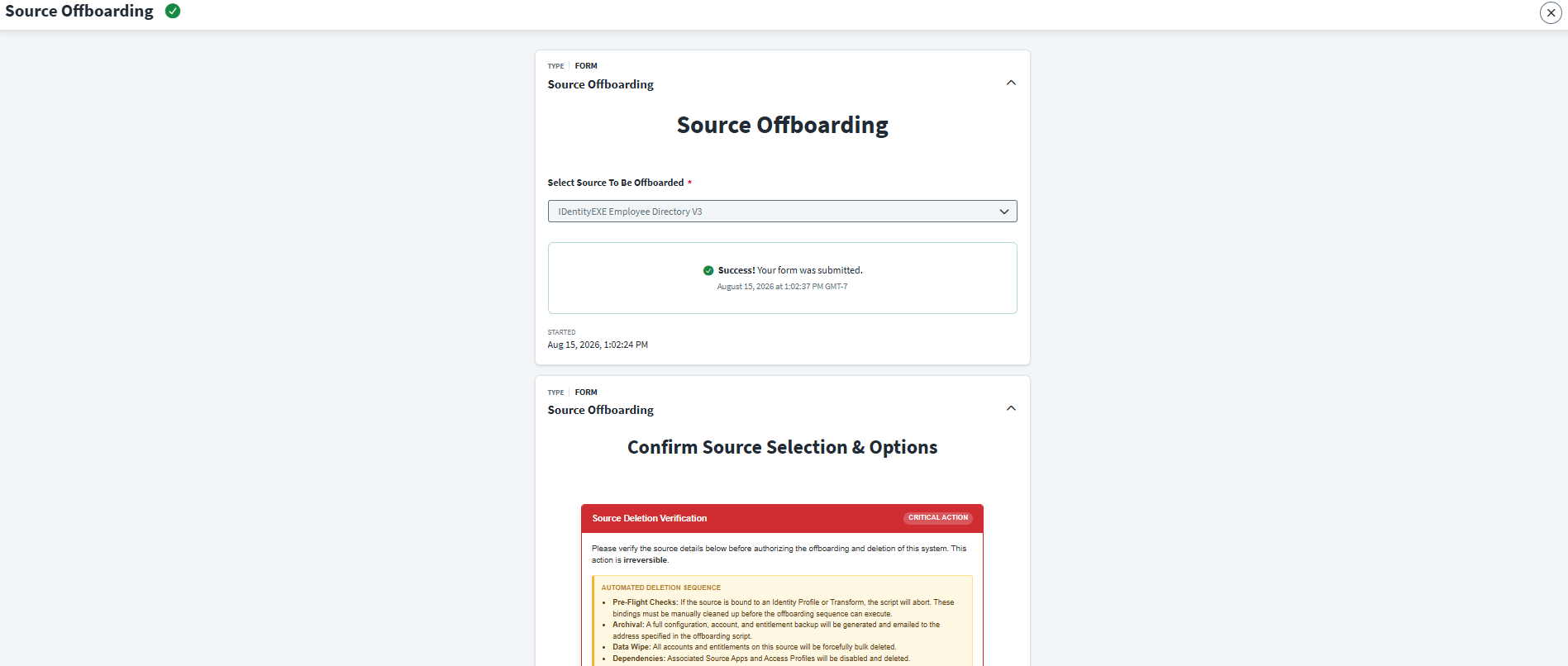
When we architect this solution for our enterprise clients, we utilize a highly governed launcher experience. The admin initiates the workflow via a launcher, selects the source from a dynamic dropdown, reviews the automated sequence overview, and chooses whether to run a preview or perform the live deletion.
Technical Deep Dive: The PowerShell Engine
Our core engineering methodology structures the data layer to handle the complexities of SailPoint's backend APIs effortlessly. The script (Offboard-Source.ps1) executed via PTA contains several advanced mechanisms.
Multithreaded Data Fetching
Iterating through tens of thousands of accounts and entitlements sequentially is agonizingly slow. This modular framework ensures that your ISC deployment avoids massive wait times by utilizing a custom Get-IscPaginatedDataParallel function that batches parallel Invoke-RestMethod calls using PowerShell Runspace Pools, drastically reducing backup generation time.
$RunspacePool = [runspacefactory]::CreateRunspacePool(1, 10)
$RunspacePool.Open()
$Jobs = @()

for ($i = 0; $i -lt $pages; $i++) {
    $offset = $i * $limit
    $pageUrl = "$BaseUrl$Endpoint?limit=$limit&offset=$offset"

    $ScriptBlock = {
        param($url, $headers)
        return Invoke-RestMethod -Uri $url -Method GET -Headers $headers
    }

    $PowerShell = [powershell]::Create().AddScript($ScriptBlock).AddArgument($pageUrl).AddArgument($GlobalHeaders)
    $PowerShell.RunspacePool = $RunspacePool

    $Jobs += [PSCustomObject]@{
        Pipe   = $PowerShell
        Status = $PowerShell.BeginInvoke()
    }
}
Intelligent Account Wiping & Bug Prevention
Why do we meticulously wipe accounts before deleting the source? It's to prevent a known ISC bug where deleted sources leave behind "ghost" accounts. If unsevered, these accounts suddenly reappear during Lifecycle State (LCS) events, throwing hard-to-diagnose provisioning failures. Our polling loop accounts for Identity Tasks and surgical ID removals before retrying bulk wipes.
if ($statusCode -eq 400) {
    if ($messageText -match "Identity Tasks are in progress") {
        Write-Log "Tasks active. Polling in 15 seconds..."
        Start-Sleep -Seconds 15
        continue
    }

    # Parse the server message to extract account IDs blocking deletion
    $matches = [regex]::Matches($messageText, '\b[a-fA-F0-9]{32}\b')
    $badAccountIds = @($matches | ForEach-Object { $_.Value })

    foreach ($accountId in $badAccountIds) {
        $url = "$BaseUrl/accounts/v1/$accountId/remove"
        # Surgical removal with rate limit (429) retries
        Invoke-RestMethod -Uri $url -Method POST -Headers $GlobalHeaders
    }
}
Deep Service Desk (SDIM) Cleansing
To fully destroy a source, it must be untethered from SDIM systems. The script recursively searches the SDIM configuration JSON to find and cleanly remove the source ID mappings from parallel array attributes (like catalogItem or assignmentGroup) to prevent validation mismatches.
function Remove-SdimSourceMap {
    param ($Object, $TargetSourceId)
    if ($Object -is [System.Management.Automation.PSCustomObject] -or $Object -is [System.Collections.IDictionary]) {
        # If this object contains a key that perfectly matches our Source ID, delete the key
        if ($Object.PSObject.Properties.Match($TargetSourceId).Count -gt 0) {
            $Object.PSObject.Properties.Remove($TargetSourceId)
        }
        # Recursively search all child objects (e.g., serviceRequest.provision.catalogItem)
        foreach ($prop in @($Object.PSObject.Properties)) {
            Remove-SdimSourceMap -Object $prop.Value -TargetSourceId $TargetSourceId
        }
    }
}
Automated Archival Emails
Implementation Framework
Below are the workflow diagrams and implementation files for deployment into your environment. You will need a configured PAG instance and valid SMTP credentials.
1. Main Workflow
2. Forms and Scripts
Conclusion
By utilizing this architectural solution, organizations can confidently decommission stale systems, generate compliant backup archives, and save countless hours of manual effort—all while ensuring zero catastrophic breaking changes to identity generation.
A stalled identity governance rollout burns capital and stalls organizational momentum.
If your team is hitting configuration walls or struggling with complex source-offboarding integrations, stop guessing.