Automating Least Privilege: The Workflow Scope Analyzer

Tyler
IdentityEXE Founder
Executive Summary
Determining the exact least-privileged scopes for complex HTTP requests within SailPoint Workflows is a notoriously tedious endeavor. Administrators are often forced to sift through extensive API documentation to pinpoint the exact endpoints needed for their operations. This architectural friction leads to a dangerous shortcut: assigning the overly permissive sp:scopes:all scope to ensure workflows execute without failure.
Leaving this underlying problem unsolved introduces profound commercial and operational risks. Over-provisioned Personal Access Tokens (PATs) violate the fundamental principle of least privilege, opening the door for severe security vulnerabilities. An improperly scoped token can lead to failed compliance audits, widespread data exposure, and unauthorized actions within your identity ecosystem if a workflow is ever compromised or misconfigured.
IdentityEXE has designed a repeatable architectural methodology to eliminate this vulnerability. By deploying a comprehensive, self-service automated toolkit, we replace the guesswork with precision engineering. This modular framework dynamically analyzes workflows, cross-references all HTTP request endpoints against SailPoint's official OpenAPI specifications, and automatically enforces the precise scopes required—locking down your environment with zero administrative friction.
Try the Web Tool Instead!
Don't want to deploy this workflow into your tenant? We've extracted the core logic into a completely free, browser-based tool right here on our site. You can paste your workflow JSON and instantly generate the required scopes without downloading anything.
Go to the Workflow Scope Analyzer ToolSolution Overview
- What it is: A self-service SailPoint Workflow toolkit that analyzes other workflows, cross-references all
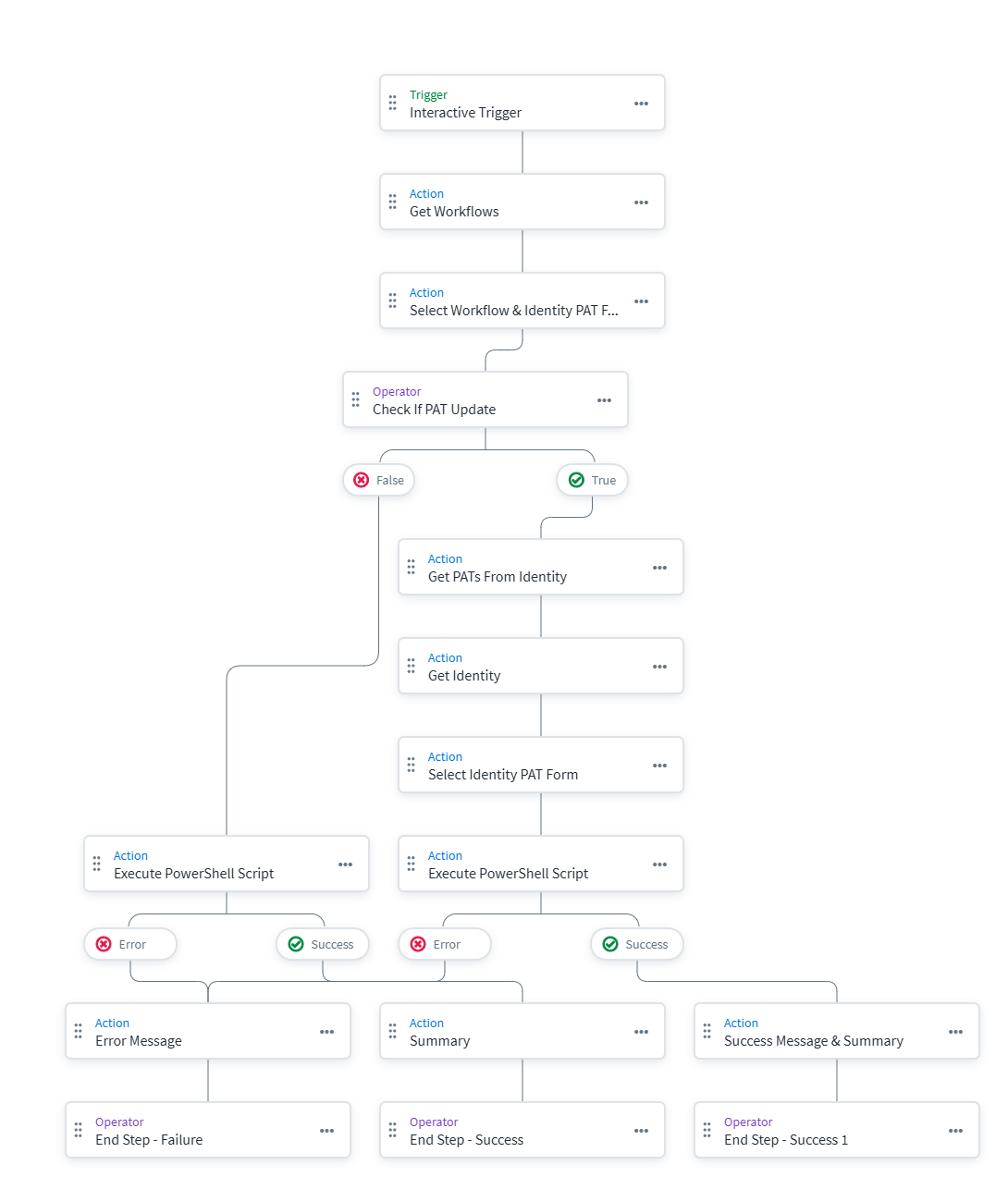
sp:httprequest endpoints against SailPoint's official OpenAPI specifications, and dynamically calculates the precise list of scopes needed. It even includes the ability to automatically update the PAT. - Tech Stack: 1 Native Workflow + 2 Interactive Forms + 2 PowerShell Scripts (via PAG).
- The Flow: Administrators launch a workflow via an Interactive Form, select a target workflow to analyze, and optionally provide a PAT ID. The workflow triggers a backend PowerShell script via the Privileged Action Gateway (PAG), which parses the target workflow's endpoints and resolves the required OAuth scopes using a compiled mapping file.
- The Underlying Engine: To ensure the solution stays up to date, a vital secondary sync script (
Update-ScopesMap.ps1) is provided to automatically download the absolute latest OpenAPI YAML specs directly from SailPoint's GitHub repository and generate the underlying mapping file that drives the analyzer.
Prerequisites & Setup
Before deploying this methodology, there are a few prerequisites you'll need to configure:
- Privileged Action Gateway (PAG): You must have a Windows server with the PAG enabled where the PowerShell scripts can execute.
- OAuth Client Credentials: The script requires an OAuth Client ID and Secret with appropriate permissions to query the API and update PATs.
- Script Configuration: Deploy the
Update-WorkflowPatScopes.ps1andscopes_map.jsonfiles to your PAG host.
CAUTION
The provided PowerShell scripts contain placeholder credentials ($ClientId, $ClientSecret, and $TenantName). You MUST update these hardcoded variables with your own organization's credentials before running the scripts.
IdentityEXE Blueprint: User Interface
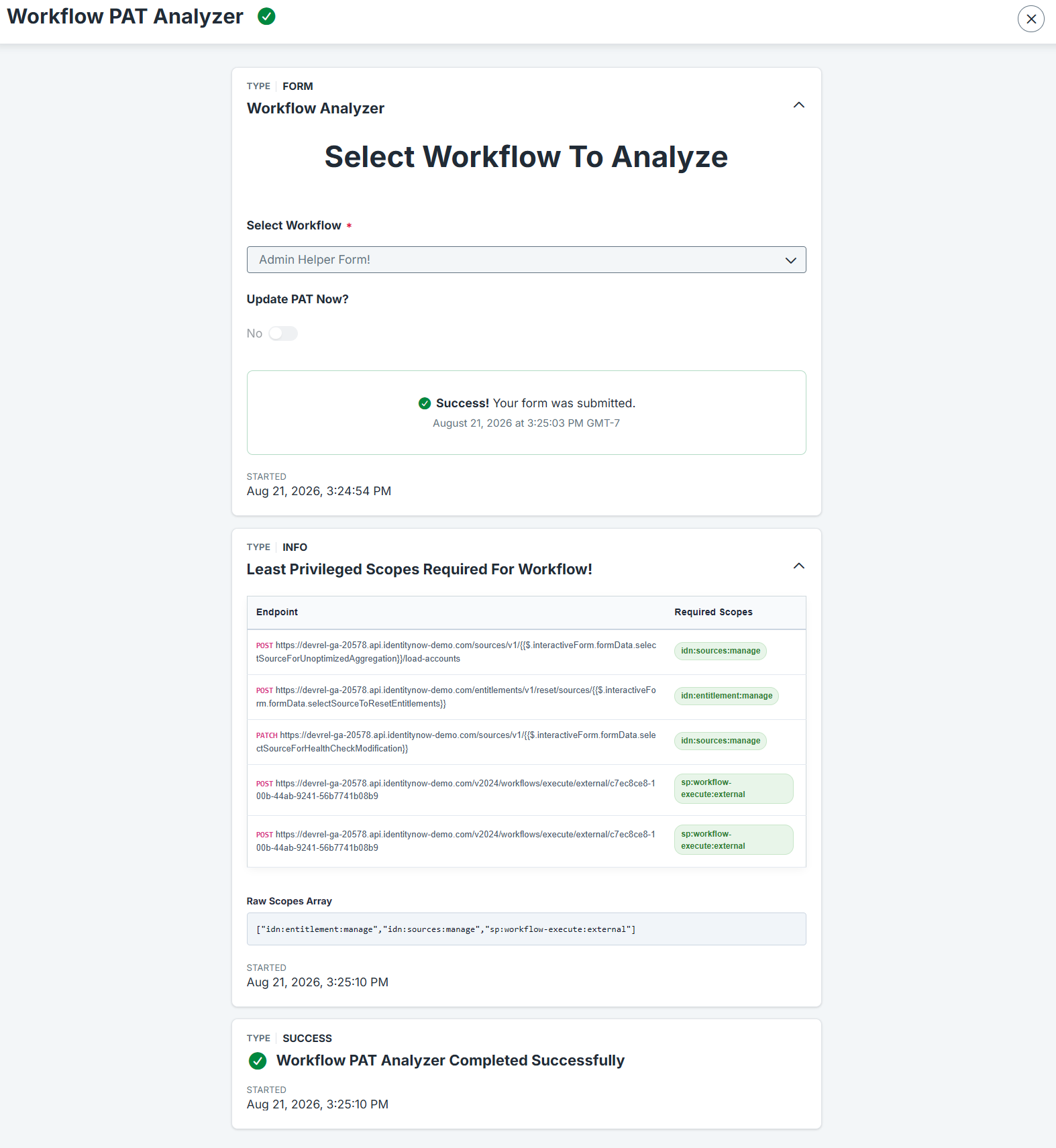
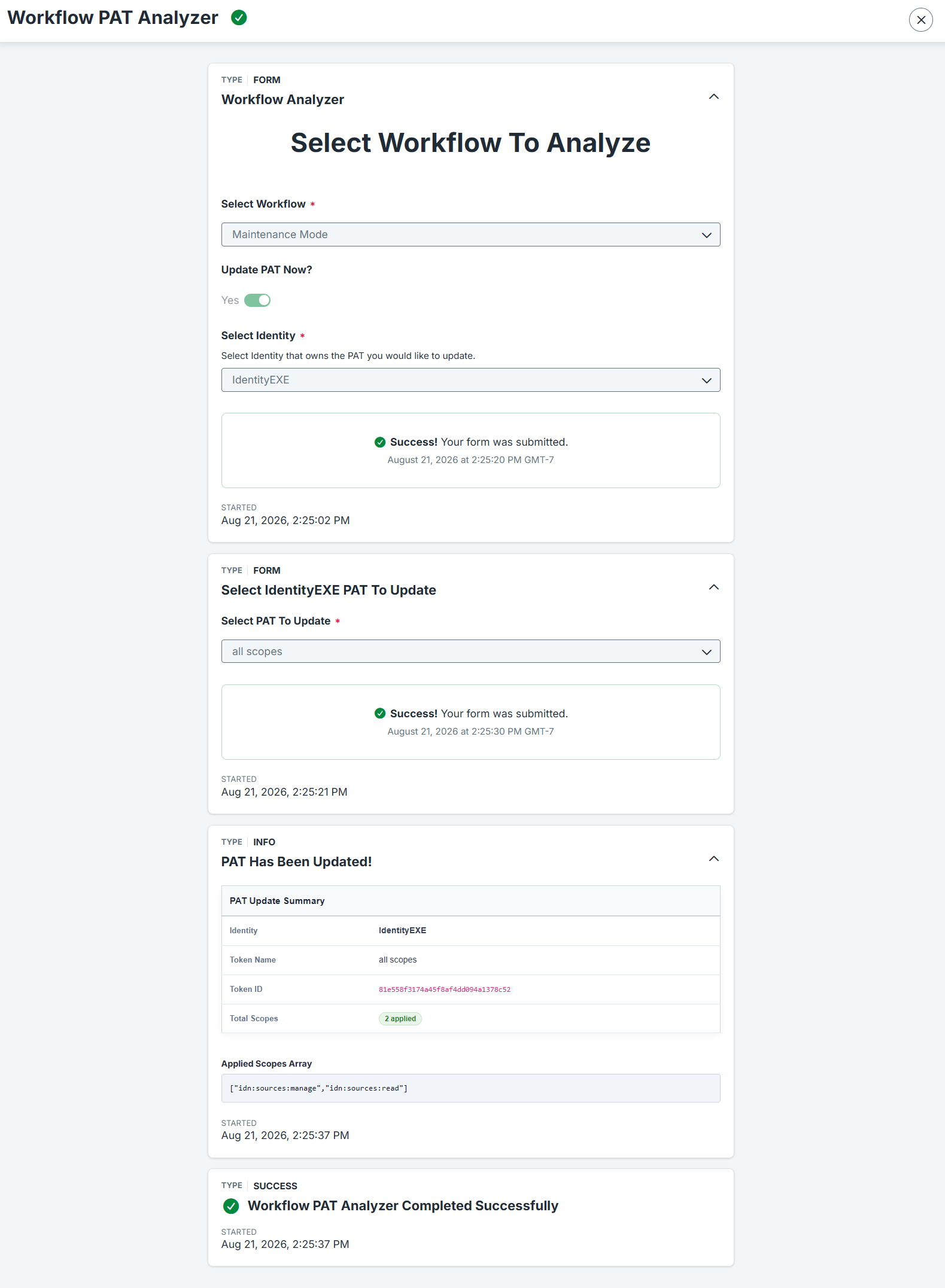
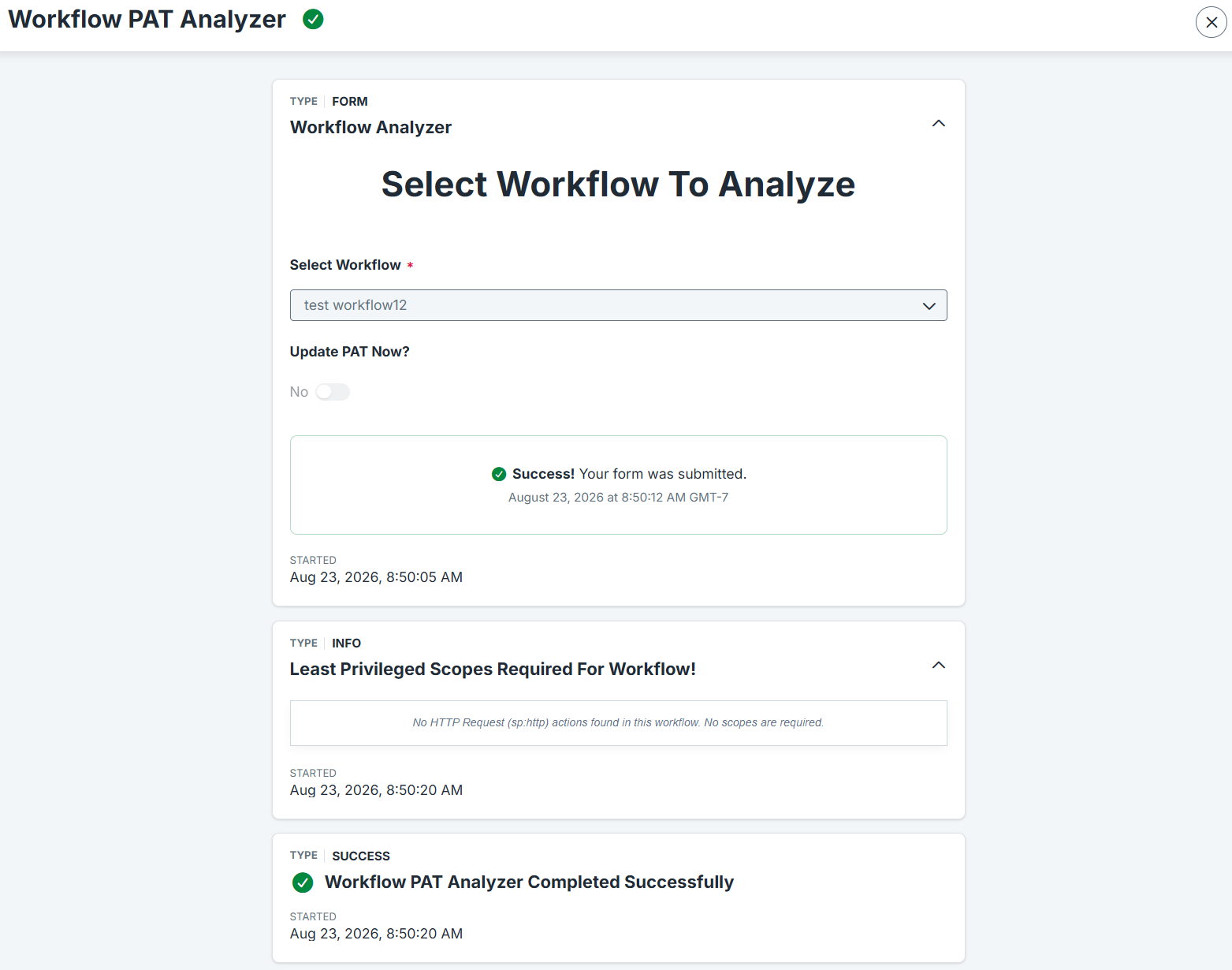
When we architect this solution for our enterprise clients, we utilize interactive forms that feed native dashboard-like reporting. The process starts with a self-service form where the admin selects the workflow to analyze and toggles automatic PAT updates. Once analysis completes, the script returns a formatted HTML table directly back to the UI as an Interactive Message, detailing every endpoint and its exact required scopes.
Technical Deep Dive: The Analyzer Engine
Our core engineering methodology structures the data layer to intelligently traverse deeply nested workflow definitions and normalize dynamic payload variables seamlessly.
Deep Endpoint Resolution
The tools parse through nested workflow logic and normalize dynamic placeholders (like {tenant} or $.interactiveForm.formData) to successfully match raw workflow URLs against the official OpenAPI specifications.
if ($StepData.actionId -eq "sp:http") {
    $HasHttpActions = $true
    $Method = if ($StepData.attributes.method) { $StepData.attributes.method.ToUpper() } else { "GET" }

    # Normalize the dynamic workflow variables out of the URL
    $Url = $StepData.attributes.url -replace '\{\{?[^}]+\}?\}', 'placeholder'
    $Url = $Url -replace '<[^>]+>', 'placeholder'
    $Url = $Url -replace '\$\.[a-zA-Z0-9_\.]+', 'placeholder'
}
Edge-Case Handling & Custom Form UI
This modular framework ensures that your ISC deployment avoids runtime failures by handling workflows with zero HTTP endpoints gracefully. Furthermore, it leverages SailPoint's ability to render raw HTML/CSS inside Interactive Message form blocks, building aesthetic payload summaries directly in PowerShell.
$HtmlBuilder = [System.Text.StringBuilder]::new()
$null = $HtmlBuilder.Append("<table style='width: 100%; border-collapse: collapse; background: #fff; border: 1px solid #cfd8dc; border-radius: 8px; box-shadow: 0 4px 10px rgba(0,0,0,0.04); font-family: sans-serif; margin-bottom: 12px;'>")
$null = $HtmlBuilder.Append("<tr><th style='padding: 12px; background: #f8fafc; border-bottom: 2px solid #cbd5e1; text-align: left; font-size: 13px; color: #1e293b;'>Endpoint</th><th style='padding: 12px; background: #f8fafc; border-bottom: 2px solid #cbd5e1; text-align: left; font-size: 13px; color: #1e293b;'>Required Scopes</th></tr>")

foreach ($Ep in $EndpointScopes) {
    $ScopesHtml = ""
    foreach ($S in $Ep.Scopes) {
        # Style the scopes to look like pills/tags
        $ScopesHtml += "<span style='background: #e8f5e9; border: 1px solid #c8e6c9; color: #2e7d32; padding: 3px 8px; border-radius: 12px; font-size: 11px; font-weight: bold; margin-right: 4px; display: inline-block; margin-bottom: 4px;'>$S</span>"
    }
    # ... Rest of table row logic ...
}
The Backend Engine: Fully Integrated OpenAPI Mapping
The underlying engine runs on a custom-generated map (scopes_map.json) compiled directly from SailPoint's GitHub repository. It maps v3, beta, yearly releases (v2024, v2025, v2026), and the newest root microservice definitions.
To guarantee future-proofing, the provided Update-ScopesMap.ps1 uses native Invoke-WebRequest commands to reach directly into the sailpoint-oss/api-specs GitHub repository. It downloads the absolute latest OpenAPI YAML specs and instantly regenerates the scopes_map.json locally.
Local Bulk Analysis
The script is built to be flexible. If you want to scan an export of your workflows locally, pass a local file path using the -WorkflowPath and -SkipUpdate parameters:
.\Update-WorkflowPatScopes.ps1 -WorkflowPath "C:\Exports\MyWorkflow.json" -SkipUpdateImplementation Framework
Below are the workflow definitions, forms, and scripts for deployment into your environment.
Conclusion
Deploying the Workflow Scope Analyzer empowers organizations to firmly enforce least privilege securely across all automated SailPoint processes, removing the security risks associated with over-provisioned access tokens.
A stalled identity governance rollout burns capital and stalls organizational momentum.
If your team is hitting configuration walls or struggling with complex workflow scope integrations, stop guessing.